
Download CSB19Build – Deposit Receipt Management, Cuaderno 19, CSV Import, Bank File Generation
Overview
CSB19Build is a specialized mobile application designed to simplify the management and generation of deposit receipts, particularly within the framework of Cuaderno 19, a standard adopted by various Spanish financial institutions. The app enables users to create bank-ready files with minimal effort, streamlining the deposit process for individuals and organizations involved in regular financial submissions. It is especially beneficial for small to medium-sized enterprises that require efficient, accurate, and compliant handling of deposit documentation.
By integrating automated scheduling and CSV import functionality, CSB19Build reduces the burden of manual data entry and error-prone processes. Its core purpose lies in enhancing operational efficiency in financial workflows, allowing users to generate standardized deposit files quickly and reliably. The application is accessible to users of all experience levels, thanks to its user-friendly design and intuitive navigation, making it a practical tool for both financial administrators and non-specialists.
Although the developer did not provide additional background information, the app’s alignment with established banking standards suggests a focus on regulatory compliance and real-world utility. It supports key financial operations such as customer data management, batch processing, and automated submission scheduling. In the broader mobile app ecosystem, CSB19Build fills a niche for specialized financial utilities that prioritize precision, ease of use, and integration with banking protocols.
Key Features & Functionality
- User-Friendly Interface: Designed with simplicity in mind, the interface allows quick access to essential tools without overwhelming users. Even those with limited technical experience can navigate the app efficiently, reducing the learning curve and enabling faster onboarding.
- Comprehensive Receipt Management: Supports both individual and batch processing of deposit receipts, allowing users to organize and track multiple transactions simultaneously. This feature is ideal for managing diverse customer bases and ensuring accurate record-keeping.
- Bank File Generation: Automatically creates files compliant with Cuaderno 19 standards, ensuring seamless integration with banking systems. This eliminates the risk of formatting errors and accelerates the deposit approval process.
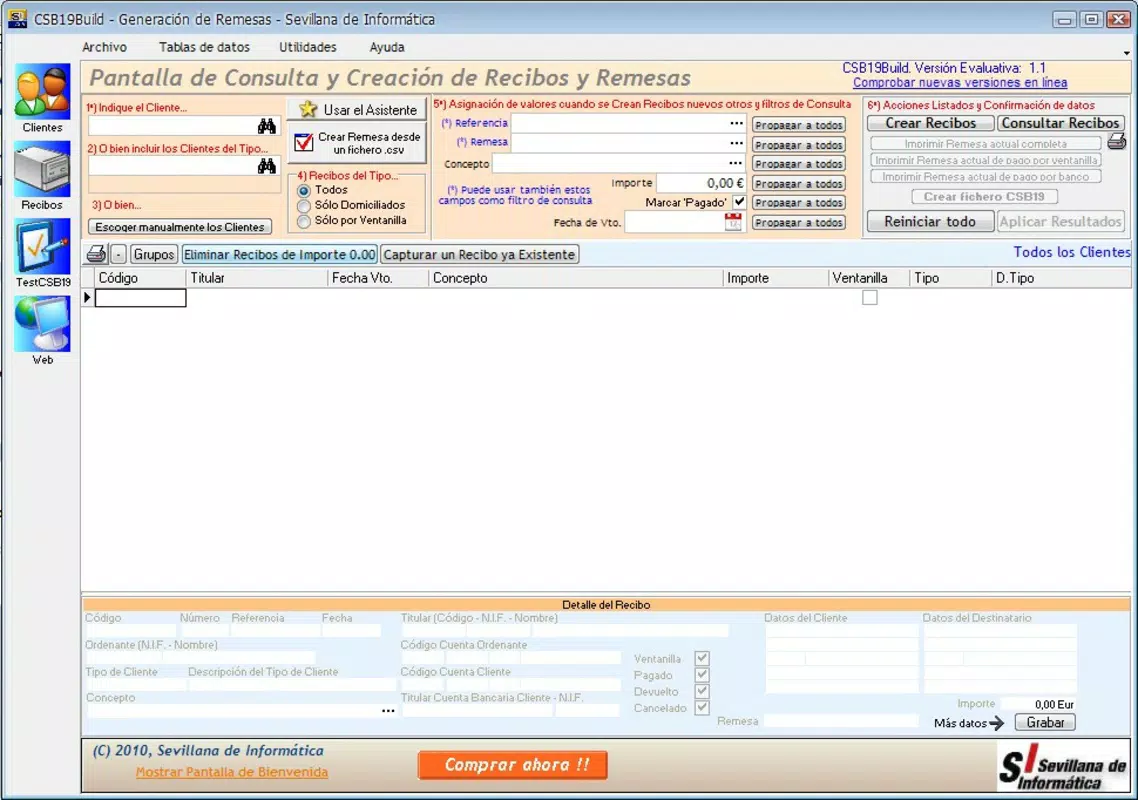
- CSV Data Import: Enables bulk data entry by importing transaction details from CSV files. This significantly reduces time spent on manual input, particularly when handling high volumes of deposit records.
- Scheduled Receipts: Users can set recurring or one-time submission schedules, ensuring timely processing without manual intervention. This feature enhances workflow consistency and helps maintain financial compliance over time.
For example, a small business owner managing weekly cash deposits can import a CSV file containing daily receipts, schedule the submission for Friday, and generate a compliant bank file—all within minutes. Similarly, a financial administrator handling multiple clients can use the app to organize and dispatch deposits in bulk, improving accuracy and saving hours of manual labor.
Interface, UX & Performance
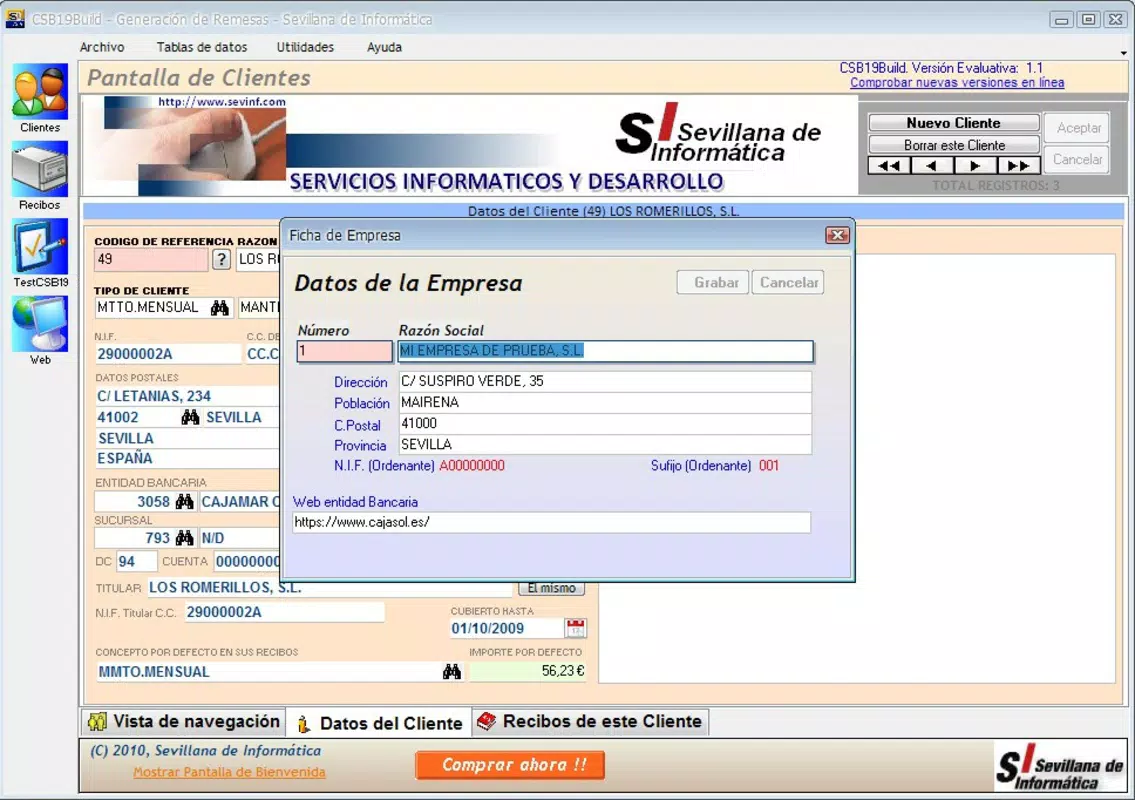
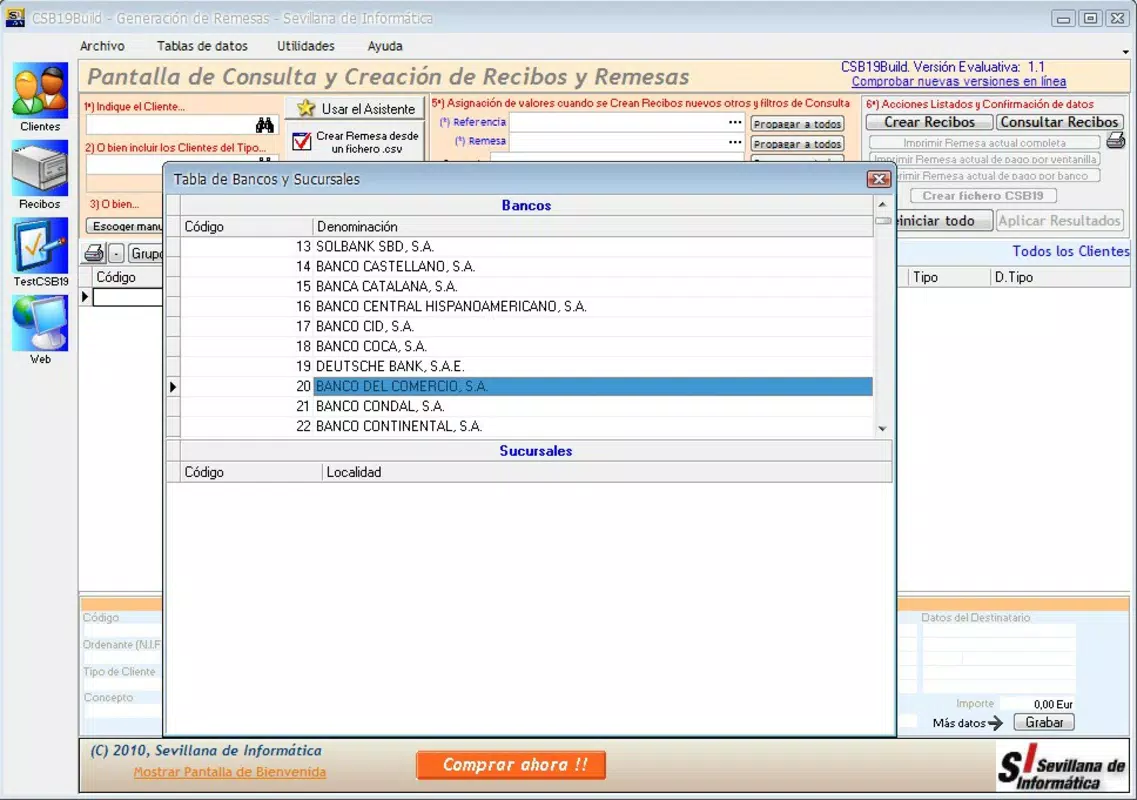
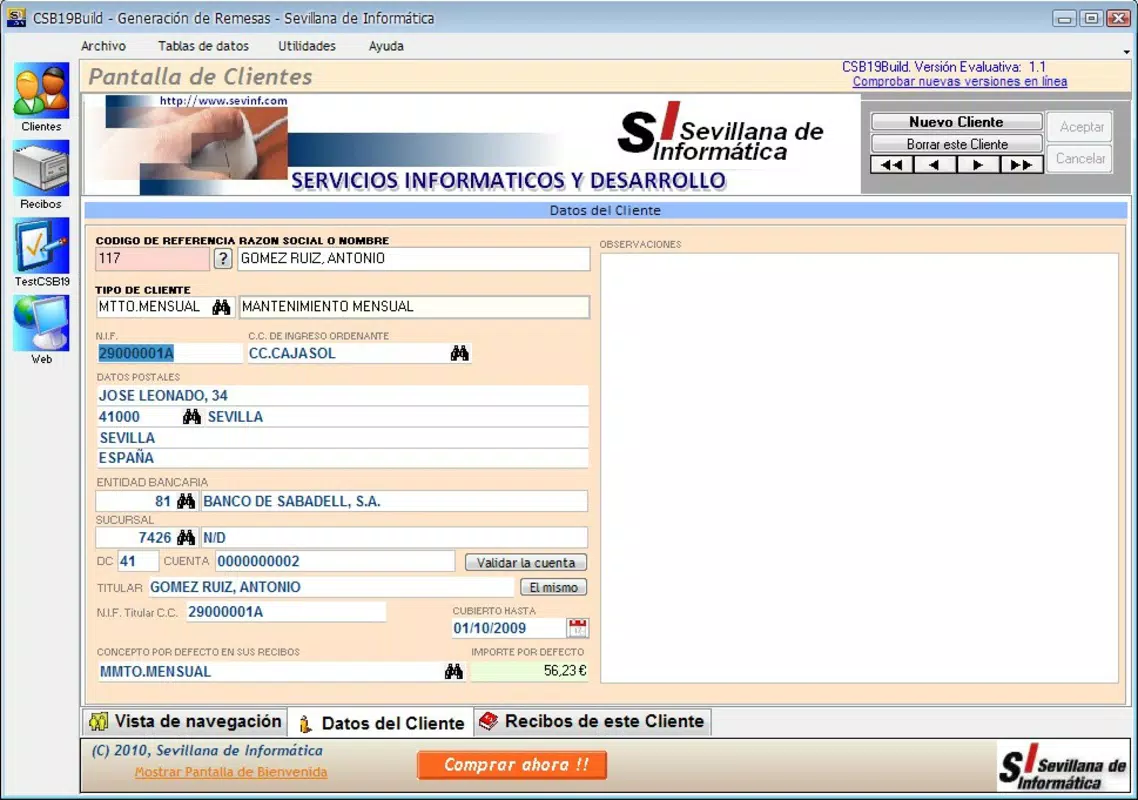
CSB19Build presents a clean and organized user interface, emphasizing clarity and accessibility. The layout prioritizes core functions such as file generation, data import, and scheduling, placing them within easy reach of the user. Navigation is linear and predictable, minimizing the need for backtracking or repeated actions.
The visual style is minimalistic, focusing on functionality over decorative elements. This design choice enhances usability, especially in high-pressure financial environments where speed and accuracy are critical. Buttons and menus are clearly labeled, and the app maintains consistent feedback during interactions, such as confirmation messages after file generation.
Although the developer did not list formal performance metrics, the app appears to operate smoothly across a range of device categories. It responds promptly to user inputs and maintains stability during data processing tasks. The application remains responsive even when handling large CSV files, suggesting optimized resource management. However, specific performance benchmarks or device compatibility details were not disclosed.
Platform Compatibility & Technical Requirements
CSB19Build is available for Android and iOS platforms, supporting the latest versions of both operating systems. The app has a file size of 12.5 MB, making it lightweight and suitable for devices with moderate storage capacity. It was released on January 8, 2010, indicating a long-standing presence in the mobile productivity space.
While the developer did not specify minimum OS requirements or hardware specifications, the app’s lightweight nature suggests broad compatibility across smartphones and tablets. Users should ensure their device meets the standard requirements for running modern mobile applications. Compatibility with older devices was not confirmed.
Pros and Cons
Pros
- Intuitive interface suitable for users of all experience levels
- Supports automated receipt scheduling for consistent processing
- Enables bulk data import via CSV for efficient workflow
- Generates bank-compliant files based on Cuaderno 19 standards
- Lightweight file size enhances accessibility on low-storage devices
Cons
- Developer did not provide detailed technical specifications
- Compatibility with older devices was not confirmed
- No information on cloud sync or backup features
- Release date indicates potential outdated design elements
- Specific OS version requirements were not listed
FAQ
Is CSB19Build compatible with all Android and iOS devices?
The developer did not specify minimum OS requirements or device compatibility details. The app is available for Android and iOS, but performance on older or low-end devices may vary.
Can I import my deposit data from a CSV file?
Yes, CSB19Build supports importing data from CSV files, allowing users to efficiently create multiple deposit receipts without manual entry.
Does the app generate files compliant with banking standards?
Yes, the application generates deposit files that adhere to the Cuaderno 19 framework, ensuring compatibility with participating Spanish financial institutions.
How often can I schedule deposit submissions?
Users can schedule receipts on a recurring or one-time basis, allowing for flexible and automated deposit processing.
Is CSB19Build free to download and use?
While the app is available for download, the exact pricing model was not disclosed. Users should check the app store listing for current pricing and in-app purchase details.
Final Thoughts
CSB19Build stands out as a focused, efficient tool for managing deposit receipts within the Spanish financial ecosystem. Its integration with the Cuaderno 19 standard, combined with features like CSV import and automated scheduling, makes it a valuable asset for small to medium-sized businesses and financial administrators. The app’s simplicity and reliability offer a clear advantage in reducing manual work and minimizing errors in deposit processing.
While some technical details remain undisclosed, the app’s consistent functionality and long-standing release history suggest reliability and ongoing relevance. For users seeking a secure, straightforward solution to streamline banking submissions, CSB19Build delivers tangible value.
Download CSB19Build now


